USB 2.0 transfers data at up to 480 Mbps, while USB 3.0 reaches up to 5 Gbps.
USB 2.0
- Up to 480 Mbps.
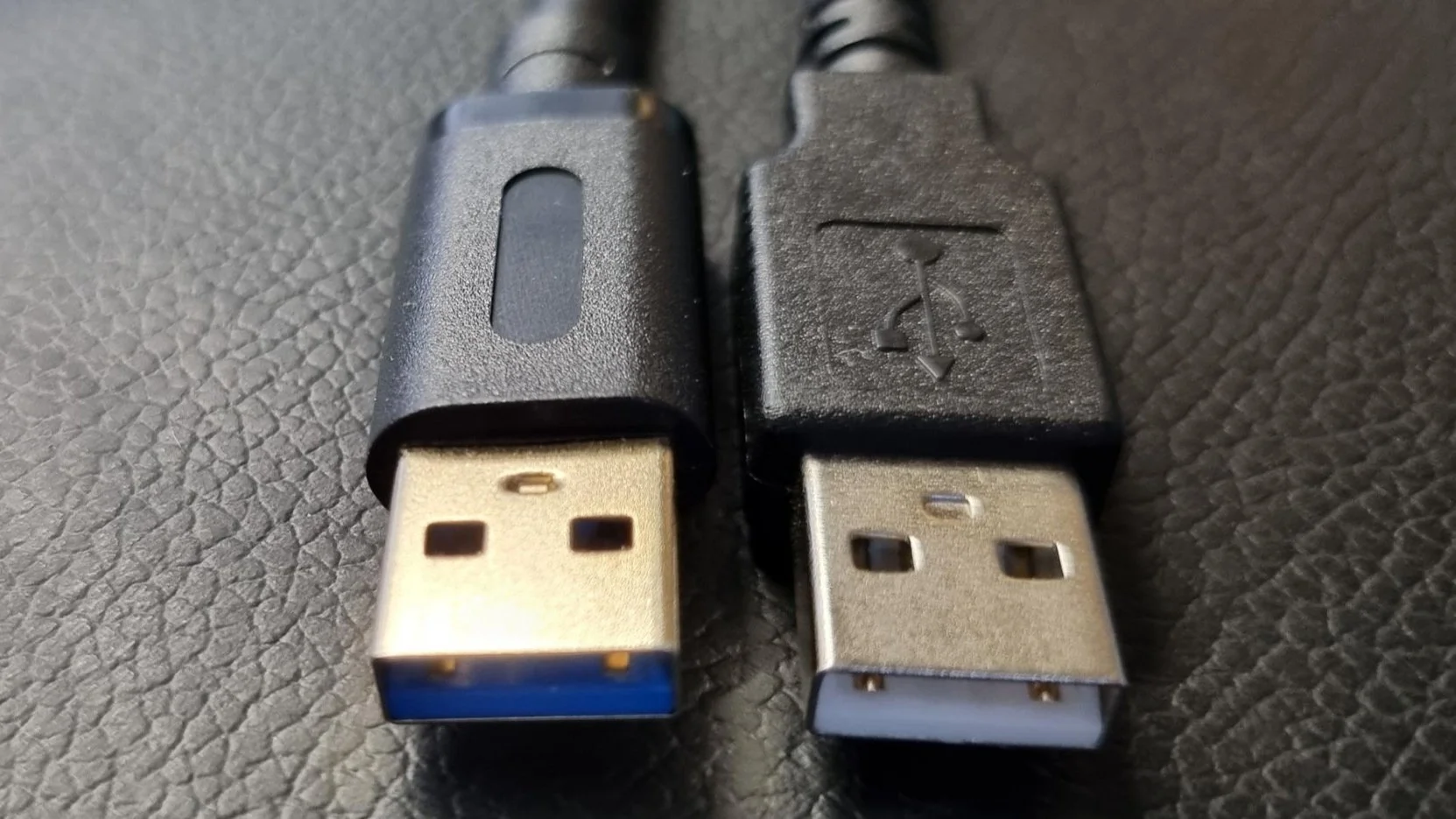
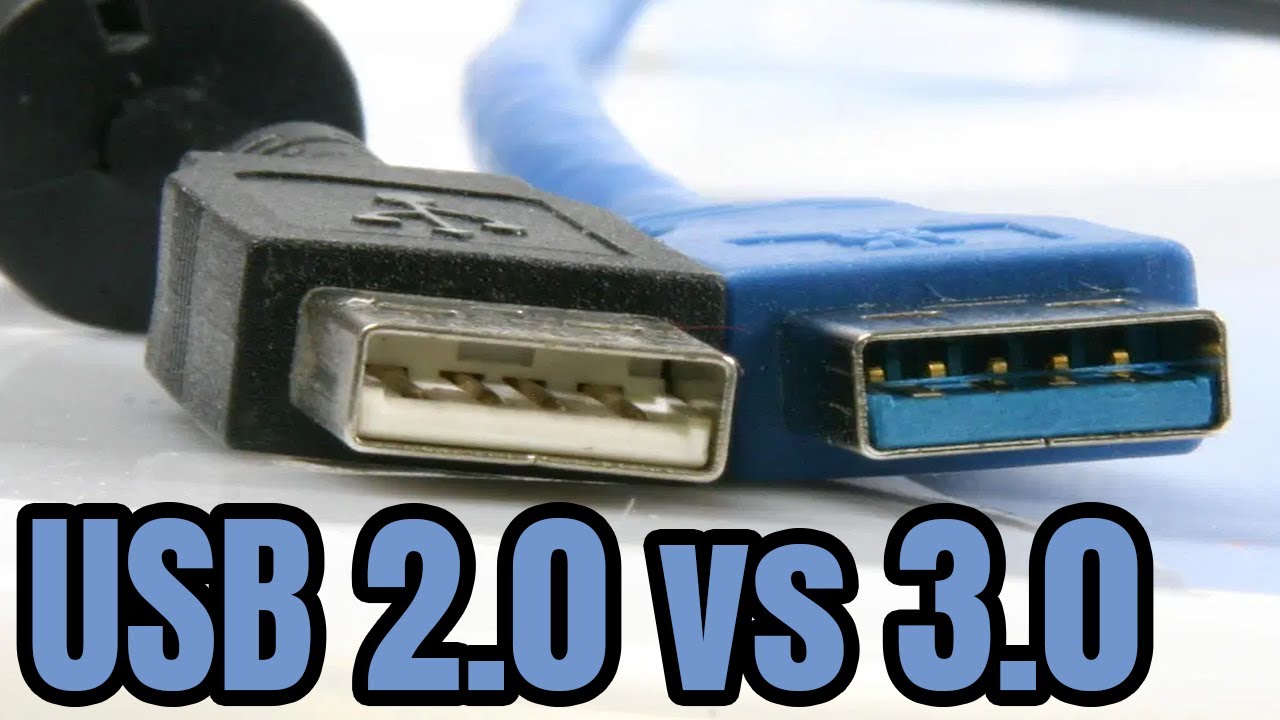
- Black or white port.
- Power: 500 mA.
USB 3.0
- Up to 5 Gbps (10 times faster).
- Blue port.
- Power: 900 mA.
Later versions
USB 3.1 (10 Gbps) and USB 3.2 (20 Gbps). USB4 reaches 40 Gbps.
Compatibility
USB 3.0 is backward compatible.
Real speeds
Slower than the maximum.
Speeds and connectors
USB 2.0 (2000) has a maximum signaling rate of 480 Mbps (60 MB/s theoretical, about 35 MB/s real). USB 3.0 (2008), renamed USB 3.2 Gen 1, runs at 5 Gbps (500 MB/s theoretical, around 400 MB/s real). USB 3.1 Gen 2 provides 10 Gbps, and USB 3.2 Gen 2×2 offers 20 Gbps. USB4 delivers 40 Gbps.
- USB 3.0 Type-A ports are usually blue inside.
- USB 3.0 cables have extra wires, so they are thicker than USB 2.0.
- Power delivery: USB 2.0 provides 2.5 W (5 V, 500 mA), USB 3.0 provides 4.5 W (5 V, 900 mA), and USB Power Delivery goes up to 240 W with the 2021 revision.

Compatibility
USB is backward compatible, so a 3.0 drive in a 2.0 port runs at 2.0 speed. Both devices and the cable must support 3.0 to get full speed. Real file transfers depend on the drive too, and a flash drive may be slower than the bus. The USB-IF’s naming has changed several times, so check for “SuperSpeed” and Gbps labels on products.
Speeds and connectors
USB 2.0 has a maximum signaling rate of 480 Mbps, USB 3.0 (also called USB 3.2 Gen 1) 5 Gbps, USB 3.1 Gen 2 10 Gbps and USB 3.2 Gen 2×2 20 Gbps. USB 3.0 ports are often blue inside. Real world speeds are lower, around 35 MB/s for USB 2.0 and 400 MB/s for USB 3.0.
Compatibility
USB 3.0 is backward compatible, so a 2.0 device works in a 3.0 port at 2.0 speed. A USB-C connector can carry different standards. Cables also matter: look at the cable rating for speed and power.
Cables and ports
USB 3.0 ports use nine pins and typically blue color. USB 2.0 provides 2.5 W at 5 V, 500 mA, while USB 3.0 provides 4.5 W at 900 mA. USB-C is a connector type, supporting USB 2.0 up to USB4 at 40 Gbps and Power Delivery up to 240 W.
Practical compatibility
For a fast external SSD, use a USB 3.2 Gen 2 (10 Gbps) port and cable. A slow cable can limit performance. Ports are labeled SS for SuperSpeed. Marketing names such as USB 3.2 Gen 1 refer to the same 5 Gbps of USB 3.0.
Based on data from the USB Implementers Forum